
I realized I was spending way too much time staring at screens without breaks, so naturally, instead of taking a break, I spent more time staring at a screen to build a tool to tell me when to stop staring at screens.
I wanted something simple, clean, and satisfying to use. A timer that works and sounds nice.
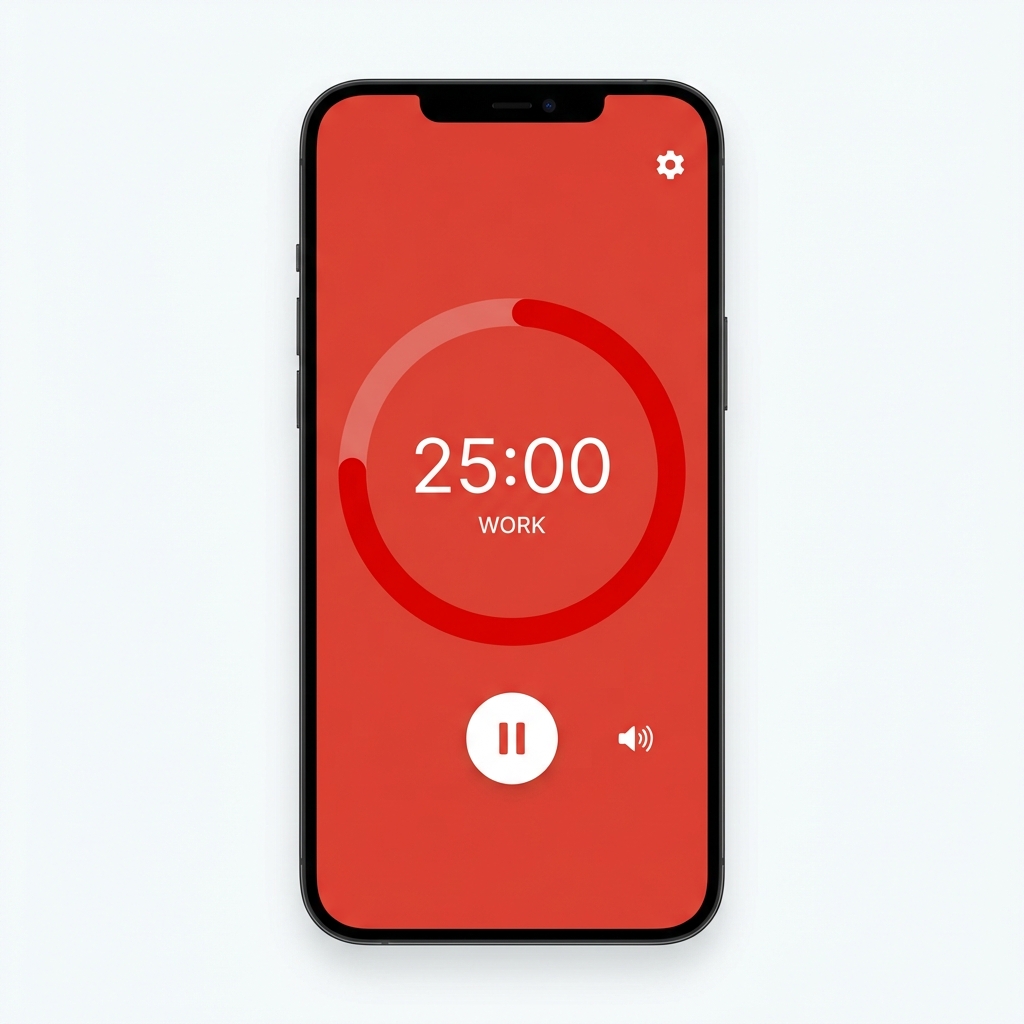
The result is a Vanilla JS Pomodoro timer that features a drift-free timing mechanism (see below) and a procedurally generated mechanical tick sound.
The Problem with setInterval
Technically, you can build a timer with setInterval(() => seconds--, 1000). But JavaScript’s setInterval is not guaranteed to run exactly every 1000ms. It can drift if the main thread is busy or if the browser throttles background tabs. Over a 25-minute session, you might lose a few seconds.
The Solution: Delta Timing
Instead of relying on the interval count, I used a “target time” approach. When the timer starts, I calculate when it should end.
// Calculate the target end time
endTime = Date.now() + (timeLeft * 1000);

timerInterval = setInterval(() => {
    const now = Date.now();
    const remainingMs = endTime - now;

    // Use Ceil so it shows "25:00" until it hits 24:59.something
    const newTimeLeft = Math.ceil(remainingMs / 1000);

    if (newTimeLeft >= 0) {
        timeLeft = newTimeLeft;
        updateDisplay();
        updateRing();
    }
}, 100);
By checking Date.now() against the endTime on every tick, the timer self-corrects. If a tick is delayed by 50ms, the next calculation will still show the correct remaining time relative to the real world.
Making it Sound Real
I didn’t want to load an mp3 file for the ticking sound. It feels heavy for such a simple app, and I wanted to control the sound properties programmatically. Enter the Web Audio API.
There is a technique called Subtractive Synthesis. We start with raw white noise (which contains all frequencies) and filter out all the frequencies we don’t want. This is how a ticking sound was made.
// Pre-generate white noise buffer
if (!noiseBuffer) {
    const bufferSize = audioCtx.sampleRate * 0.05; // 50ms burst
    noiseBuffer = audioCtx.createBuffer(1, bufferSize, audioCtx.sampleRate);
    const data = noiseBuffer.getChannelData(0);
    for (let i = 0; i < bufferSize; i++) {
        // 1. Generate White Noise
        data[i] = Math.random() * 2 - 1;

        // 2. Apply Exponential Decay
        // -10 factor creates a sharp "attack"
        data[i] *= Math.exp(-10 * i / bufferSize); //To simulate a stiff, non-resonating material. This determines how "tight" the sound is.
    }
}

function playTick() {
    const noise = audioCtx.createBufferSource();
    noise.buffer = noiseBuffer;

    // 3. High-Pass Filter
    const filter = audioCtx.createBiquadFilter();
    filter.type = 'highpass';
    filter.frequency.value = 2000; // 2000 Hz

    noise.connect(filter);
    filter.connect(audioCtx.destination);
    noise.start();
}
Tuning the Physics
The values aren’t random; they simulate the physics of a mechanical click (of a small escapement in a clock):
- 50ms Duration: Shorter (<10ms) sounds like a digital glitch; longer (>100ms) sounds like a snare drum or gas leak. 50ms gives the sound just enough body to be audible.
- -10 Decay Factor: This simulates a stiff, non-resonating material. We want to make a short, instant sound, not a lingering one. With lower number (e.g., -2), the sound lingers. It would sound loose. With higher number (e.g., -20), the sound is very tight and crisp.
- 2000Hz Frequency: Small objects vibrate fast. By cutting everything below 2000Hz with a high-pass filter, we remove the low sound frequencies, the bass.
This approach generates a crisp, consistent mechanical sound without downloading any assets. Plus, since we reuse the noiseBuffer, garbage collection is minimal.
Here are the official MDN docs for the components used:
- Web Audio API Introduction: Overview of the entire system.
- AudioBuffer: The “container” where we manually write the random numbers.
- BiquadFilterNode: The tool used to filter frequencies (specifically the highpass type).
Alternative: The Soft Beep
For the beep, I used a standard Oscillator. While the noise buffer creates random chaos (good for percussive clicks), an oscillator generates a consistent waveform (sine, square, etc.) that produces a clear, musical pitch.
There are 2 ramps to the sound:
- Frequency Ramp: The pitch drops slightly (800Hz to 600Hz) over 100ms. This makes it sound like a “ping” or a droplet rather than a flat robot tone.
- Gain Ramp: The volume fades out exponentially, avoiding a harsh clicking stop.
// Soft Beep (Sine Wave)
const osc = audioCtx.createOscillator();
const gain = audioCtx.createGain();

osc.type = 'sine';
// Drop pitch to make it "round"
osc.frequency.setValueAtTime(800, audioCtx.currentTime);
osc.frequency.exponentialRampToValueAtTime(600, audioCtx.currentTime + 0.1);

// Fade out volume
gain.gain.setValueAtTime(0.025, audioCtx.currentTime);
gain.gain.exponentialRampToValueAtTime(0.001, audioCtx.currentTime + 0.1);

osc.connect(gain);
gain.connect(audioCtx.destination);

osc.start();
osc.stop(audioCtx.currentTime + 0.1);
Visualizing Time
For the visualizer, I used a CSS conic-gradient to create a pie chart that empties as time passes.
function updateRing() {
    const ratio = timeLeft / totalTime;
    const degrees = ratio * 360;

    // Create a transparent slice of 'degrees' size
    timerPie.style.background = `conic-gradient(rgba(255,255,255,0.3) ${degrees}deg, transparent 0deg)`;
}
It’s a simple, performant way to show progress without dealing with complex SVG path calculations or Canvas redraws.
Takeaways
- Don’t trust
setIntervalfor accurate timekeeping. Always compare against a system timestamp (Date.now()). - Web Audio API is powerful. You can generate simple sound effects (ticks, beeps) entirely in code, saving bandwidth and allowing for dynamic adjustments.
- Vanilla JS is still great. You don’t always need a framework. This entire app is a single JS file, no build step required (though I am using one for the blog!).
Check out the code here: https://github.com/ikristina/pomodoro
Comments